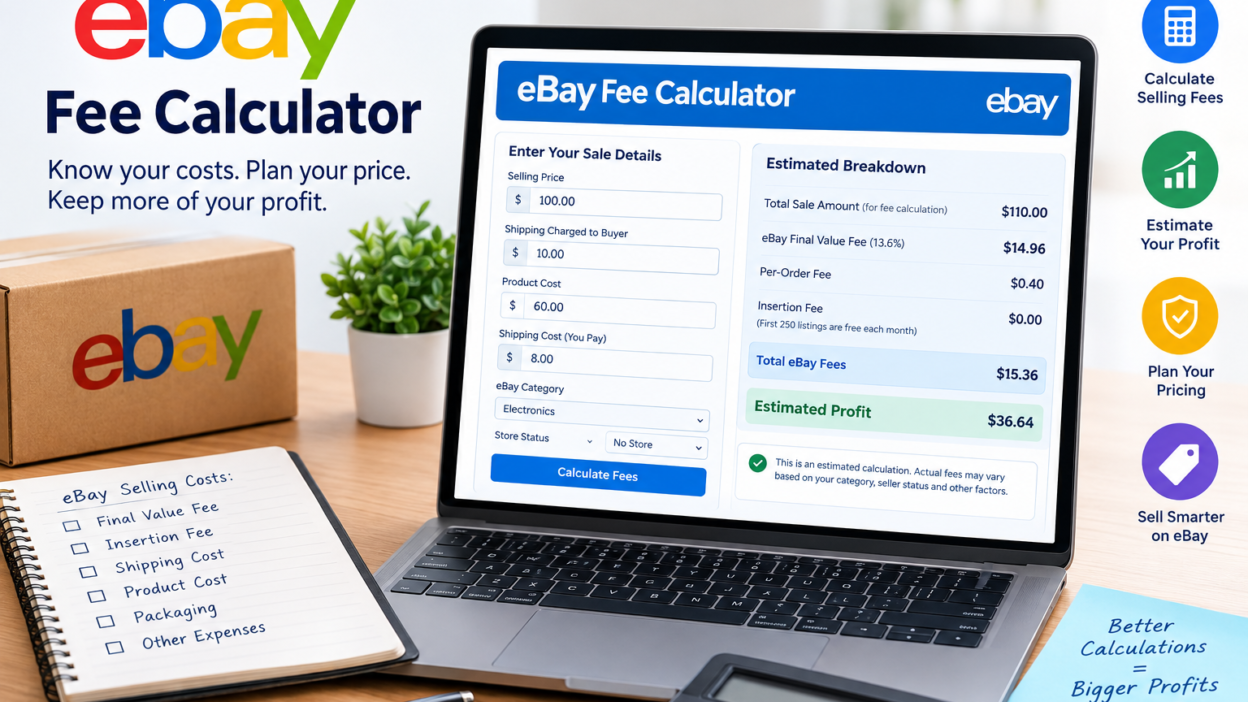
Selling on eBay can look easy: list a product make a sale ship the order and get your money.. The amount a seller receives after a sale can be different from the original selling price.
That is where an eBay Fee Calculator becomes helpful.
An eBay fee calculator helps sellers figure out the costs that come with a sale before deciding how much to charge. Of just looking at the product price sellers can think about the eBay final value fee order fee, shipping, product cost and other selling costs to figure out their real profit.
For sellers on eBay.com the standard fee system includes an insertion fee after the monthly free-listing allowance has been used and a final value fee when an item sells. EBay currently gives up to 250 zero-insertion-fee listings per month for sellers depending on the category.
What Is an eBay Fee Calculator?
An eBay Fee Calculator is a tool that estimates how much of a sale might go to eBay fees and how much might stay with the seller.
A good calculator can take information such as:
Selling price
Product cost
Shipping charged to the buyer
Shipping cost paid by the seller
eBay category
Store status
selling expenses
and turn those numbers into an estimated breakdown.
The key point is that eBay does not use one fee percentage for every product. Fees can change depending on the category listing situation, seller status and other factors.
That means a calculator is more helpful when it explains why the fee changes of just giving one percentage.
How eBay Selling Fees Work
eBays selling costs can generally be divided into areas.
1. Insertion Fee
An insertion fee is linked to creating a listing.
For sellers on eBay.com the first 250 listings each month have no insertion fees. After that allowance is used the standard insertion fee is $0.35 per listing although category-specific rules and exclusions can apply.
This means a seller should not always add $0.35 to every eBay sale.
If the listing is within the sellers monthly allowance there may be no insertion fee.
2. Final Value Fee
The final value fee is charged when an item sells.
For standard categories on eBay.com the current rate is 13.6% on the total amount of the sale up to $7,500 followed by 2.35% on the portion above $7,500. A per-order fee also applies: $0.30 for orders of $10 or less and $0.40 for orders above $10.
However this is not the rate for every category.
For example eBay currently lists rates for categories such as books and media, coins, trading cards, sneakers, guitars and other specialized categories.
This is one reason an accurate eBay fee calculator should ask for the selling category of assuming one percentage.
What Does the eBay Final Value Fee Include?
One commonly misunderstood part of eBay fees is the amount used to calculate the value fee.
eBay says the total amount of the sale can include:
Item price
Handling charges
Shipping costs collected from the buyer
Sales tax
applicable fees
There are exceptions to the way shipping is treated in certain situations.
Therefore calculating a fee from the items advertised price may not give an accurate estimate.
Example
Suppose:
Item price: $100
Buyer-paid shipping: $10
sales tax: $7
Total amount of sale: $117
A calculator should not automatically take $100 as the entire fee base. The actual calculation can depend on eBays rules and the listing situation.
eBay Fee Calculator Example
Consider a $400 sale in a standard category.
Assume:
Product selling price: $400
Shipping charged to buyer: $0
Sales tax included in the transaction: $24
Total amount of sale: $424
final value fee: 13.6%
Per-order fee: $0.40
The estimated final value fee would be:
$424 × 13.6% = $57.66
Add the $0.40 per-order fee:
Estimated final value fee = $58.06
This is consistent with eBays own example for a $400 sale with $24 in sales tax.
If the seller also had a $0.35 insertion fee because the monthly listing allowance had been used up:
$58.06 + $0.35 = $58.41
That leaves approximately:
$400 − $58.41 = $341.59
before considering the sellers product cost, shipping expense, advertising or other business costs. EBay provides essentially this example on its fee page.
How to Calculate eBay Profit
Knowing the eBay fee is half of the calculation.
A seller should also figure out the profit.
A simple profit formula is:
Net Profit = Selling Price − eBay Fees − Product Cost − Shipping Cost − Other Selling Expenses
For example:
Expense Amount
Selling price $400
Estimated eBay fees $58.41
Product cost $150
Shipping cost $20
Packaging $5
Estimated profit $166.59
This gives a more realistic picture than simply asking, “How much did I sell the item for?”
Why Sellers Should Calculate Fees Before Listing
An eBay fee calculator can be very useful before setting a product price.
Imagine you want to make $50 profit from an item that costs you $30.
If you list it for $80 without thinking about selling costs the final profit may be much lower than expected.
Instead work backward
Determine your product cost.
Decide your desired profit.
Estimate eBay fees.
Estimate. Packaging.
Calculate the needed selling price.
Compare that price with listings.
This way you can avoid underpricing.
eBay Fee Calculator for Different Seller Types
Not every eBay seller has the cost system.
Casual Seller
A casual seller with listings may benefit from eBays monthly zero-insertion-fee allowance.
High-Volume Seller
A seller listing hundreds or thousands of products should pay attention to insertion fees, Store subscriptions, category-specific rates and other selling costs.
eBay Store Seller
Store subscribers can get different fee structures and more listing allowances. EBay shows final value fee rates for Store subscribers depending on category and Store level.
International Seller
International selling can bring in factors, including currency conversion and international-related charges. EBay also notes that fees can be different when an item is listed on another eBay site.
eBay Fee Calculator vs. Profit Calculator
These two tools are similar but not the same.
An eBay Fee Calculator mainly answers:
How much might eBay charge for this sale?
A Profit Calculator answers:
After all of my costs how money might I actually keep?
For sellers combining both calculations is more useful.
For example:
Selling price: $250
eBay fees: $34
Product cost: $100
Shipping: $15
Packaging: $4
Estimated profit:
$250 − $34 − $100 − $15 − $4 = $97
The $97 is more useful for business planning than the $250 selling price.
What Should You Enter Into an eBay Fee Calculator?
For an estimate prepare these numbers:
Selling Price
The amount the buyer pays for your product.
Shipping Charged
Enter any shipping amount collected from the buyer where it applies.
Product Cost
What you paid to buy or make the product.
Shipping Expense
What you expect to pay to send the item.
Category
The category can be important because eBays fee percentages change.
Store Status
If you have an eBay Store your fee structure might be different.
Advertising or Promotion Costs
If you use eBay advertising include those costs when estimating your profit.
Packaging
Boxes, envelopes, labels and other packing materials can affect your profit.
Common eBay Fee Calculator Mistakes
Mistake 1: Assuming Every Product Has the Same Fee
This is one of the problems with simple calculators.
eBays current fee tables show rates for different categories.
Mistake 2: Ignoring Shipping
Shipping can affect the amount used in fee calculations in situations.
Mistake 3: Confusing Sales Tax With Profit
Sales tax collected in a transaction should not be treated as money the seller gets to keep as profit.
Mistake 4: Forgetting the Per-Order Fee
For eBay.com transactions eBay currently adds a $0.30 per-order fee for orders of $10 or less and $0.40 for orders above $10.
Mistake 5: Calculating Profit From Revenue Alone
A $500 sale does not mean the seller made $500.
Product costs, eBay fees, shipping, packaging, advertising and other expenses must be considered.
How to Price an eBay Product for Profit
A better pricing strategy starts with your target margin.
For example suppose:
Product cost = $40
Shipping = $10
Packaging = $3
Desired profit = $30
Your amount before eBay fees is:
$40 + $10 + $3 + $30 = $83
Because eBay fees also need to be covered the final listing price needs to be higher than $83.
This is where a calculator is especially useful: of guessing the selling price you can estimate the required price from your target profit.
Are eBay Fees the Same on Every eBay Website?
No.
eBay has marketplaces and the fees can be different by site.
For example fees for eBay.com are not necessarily the same as for eBay.co.uk or eBay.com.au. EBay specifically says that the fees, for the eBay site apply when an item is listed there.
Therefore an eBay calculator should clearly show which marketplace it is meant for.
How Accurate Is an eBay Fee Calculator?
An eBay fee calculator can give an estimate but the result depends on the data that is put in.
The best calculation should take into account:
Marketplace
Product category
Selling price
Shipping
Seller Store status
Order value
Applicable eBay fee rate
Listing fees
promotional services
Other charges that apply
eBay says that selling costs depend on things like the number of listings, category and Store subscription.
Because of this sellers should use the calculator as a planning tool while looking at eBays fee schedule for the exact rates.
Final Thoughts
An eBay Fee Calculator is more than a simple percentage calculator. A good tool helps sellers see what happens to their money after eBay fees and other costs are taken out.
The best calculation includes selling price, eBay fees, product cost, shipping, packaging and other selling costs. This gives sellers an idea of their possible profit before they list an item.
Since eBay can change its fee structure and different categories have rates sellers should always check the fee rules for their marketplace and category. EBays latest official fee information should be the source, for final calculations.